ChatGPT-Enterprise-Adoptionsworkshop
Aus dem Zugang zu einem verwalteten ChatGPT-Workspace wird nützliche, geregelte Teampraxis.
Teams entwickeln praktische Gewohnheiten für Projekte, Recherche, Datenarbeit, wiederverwendbare GPTs oder Agenten und freigegebenen Unternehmenskontext, wo verfügbar. Funktionen werden vorab gegen Plan, Region und Admin-Einstellungen geprüft.
- Empfohlenes Format
- Kernworkshop · 4–6 Stunden
- Durchführung
- Vor Ort, online oder hybrid
01 · Geeignet für
Ist das der richtige Workshop?
Organisationen, die einen verwalteten ChatGPT-Workspace für Business-Teams einführen oder die Adoption verbessern.
Weniger passend, wenn
- — Sie benötigen eine fertige Softwarelösung statt Teamtraining.
- — Sie suchen einen passiven Vortrag ohne praktische Arbeit.
- — Sie benötigen eine rechtliche oder regulatorische Garantie.
02 · Was sich nach dem Workshop verändert
Was dieses Programm in der Praxis verändert
Ein verwalteter ChatGPT-Workspace schafft gute Bedingungen für die Einführung, doch Zugang allein erzeugt keine konsistente Praxis. Teams müssen weiterhin entscheiden, wie Projekte organisiert werden, wie wiederverwendbare Anleitungen aussehen, wann Unternehmenskontext genutzt werden darf, wie GPTs oder Agenten evaluiert werden und wer Verbesserungen verantwortet. Der Workshop macht daraus konkrete Arbeitsentscheidungen auf Basis der tatsächlich aktivierten Funktionen.
Die Session folgt keiner starren Demo-Abfolge. Der Facilitator arbeitet mit dem Team an Workspace-Gewohnheiten und Grenzen, Projekte, Recherche und Daten, Wiederverwendbare GPTs und Agenten und nutzt dabei ChatGPT, Unternehmenswissen und Workspaces, Agent Design Canvas, sofern diese Systeme freigegeben und verfügbar sind. Die Teilnehmenden vergleichen erste Ergebnisse, machen fehlenden Kontext sichtbar und verbessern die Arbeit gemeinsam. Dadurch verstehen sie nicht nur, welche Eingabe funktioniert, sondern auch, warum ein Ergebnis vertrauenswürdig genug für den nächsten Arbeitsschritt ist.
Der Wert soll nicht enden, wenn der Workshopraum verlassen wird. Deshalb entstehen während der Übungen konkrete Ergebnisse wie Team-Workflow-Paket, Evaluationsbeispiele und Review-Set, Governance-Entscheidungslog. Sie geben Kolleginnen und Kollegen einen nachvollziehbaren Ausgangspunkt, zeigen, wo menschliche Prüfung erforderlich ist, und machen den nächsten Pilot kleiner und realistischer. Optionale Follow-up-Sessions können anschliessend auf diesen Artefakten aufbauen, statt wieder bei einer allgemeinen Einführung zu beginnen.
- Konsistente Workspace- und Projektgewohnheiten schaffen
- Wiederholbare Recherche- und Datenworkflows gestalten
- GPT- oder Agentenverhalten systematisch evaluieren
- Praktische Governance- und Rollout-Entscheidungen treffen
03 · Tools, die Ihr Team nutzen wird
Tools, die Ihr Team nutzen wird
- ChatGPT
- Entwürfe, Analysen und Recherchen erstellen und wiederkehrende Arbeit in nutzbare Team-Anleitungen überführen.
- Unternehmenswissen und Workspaces
- Gemeinsamen Kontext, freigegebenes Wissen und wiederholbare Arbeitsweisen in verwalteten KI-Workspaces organisieren.
- Agent Design Canvas
- Aufgabe, Quellen, Tools, Berechtigungen, Entscheidungen und menschliche Prüfpunkte vor dem Bau festlegen.
04 · Von Unsicherheit zu einer gemeinsamen Arbeitsweise
Aus dem Zugang zu einem verwalteten ChatGPT-Workspace wird nützliche, geregelte Teampraxis.
- Vorher
- Der Workspace ist vorhanden, doch nützliche Muster, Evaluation, Verantwortung und Governance-Entscheidungen sind nicht teamübergreifend geklärt.
- Im Workshop
- Das Team arbeitet mit ChatGPT, Unternehmenswissen und Workspaces, Agent Design Canvas an eigenen Beispielen. Jede Übung endet mit Prüfung, Verbesserung und einer klaren menschlichen Entscheidung.
- Am nächsten Arbeitstag
- Die Teilnehmenden verlassen den Workshop nicht nur mit Notizen, sondern mit Team-Workflow-Paket, Evaluationsbeispiele und Review-Set, Governance-Entscheidungslog und einem vereinbarten nächsten Schritt.
05 · Praxisnaher Ablauf
Praxisnaher Ablauf
01 Workspace-Gewohnheiten und Grenzen
Verfügbare Funktionen, Datenregeln und Teamerwartungen bestätigen.
02 Projekte, Recherche und Daten
Kontext organisieren und quellenbasierte Recherche, Dokumente und Analyse üben.
03 Wiederverwendbare GPTs und Agenten
Zweck, Anleitungen, Wissen, Tests und menschliche Kontrolle definieren.
04 Unternehmenskontext und Zugriff
Freigegebene Apps oder Company Knowledge prüfen, sofern planabhängig verfügbar.
05 Evaluation und Rollout
Testset, Verantwortungsentscheidungen und Adoptionsplan erstellen.
06 · Was Ihr Team mitnimmt
Ein vorbereiteter Workshop statt einer Standardpräsentation
- Team-Workflow-Paket
- Evaluationsbeispiele und Review-Set
- Governance-Entscheidungslog
- Adoptions- und Rolloutplan
Vorbereitung und Unterlagen
- • Abstimmung mit dem Sponsor
- • Kurze Teilnehmerbefragung
- • Beispiele aus Ihrem Arbeitskontext
- • Moderierte Live-Praxis
- • Digitale Unterlagen
- • Kompakte Zusammenfassung
Optionales Follow-up: Optionale Follow-up-Clinics und Adoptionsbegleitung können ergänzt werden.
Einen Workshop an sinnvoller Arbeit ausrichten
Wovon hängt das Angebot ab?
Nennen Sie Teamgrösse, Wunschformat, Standort, freigegebene Tools und einen Workflow, den Sie verbessern möchten. So lassen sich Vorbereitung, Moderation und mögliche Begleitung eingrenzen. Bitten Sie um ein aufgeschlüsseltes Angebot, um denselben Leistungsumfang statt nur Tagessätze zu vergleichen.
Wie lässt sich der Nutzen beurteilen?
Wählen Sie eine repräsentative Aufgabe und erfassen Sie vor dem Workshop einen Ausgangswert. Vergleichen Sie danach Zeitaufwand, Korrekturbedarf und Qualität des geprüften Ergebnisses. Legen Sie die Verantwortung für den nächsten Test fest. Produktivitätsgewinne werden gemessen, nicht als Prozentsatz versprochen.
07 · Durchführungsformen
Ein Workshop, drei Arten teilzunehmen
Lernziele, praktische Übungen und Unterlagen bleiben konsistent. Raum, Kollaborationstools und Moderationsrhythmus werden daran angepasst, wie Ihr Team teilnimmt.
- Vor Ort / persönlich
- Durchführung in Ihrer Organisation oder an einem vereinbarten Ort, mit Facilitator und Teilnehmenden gemeinsam im Raum.
- Online
- Ein vollständig live moderierter Workshop über eine vereinbarte Videoplattform, mit gemeinsamen Übungen und strukturierter Gruppenarbeit.
- Hybrid
- Für Teams, die sich auf Raum und Remote-Teilnehmende verteilen. Die Aktivitäten werden so angepasst, dass beide Gruppen beitragen und Unterstützung erhalten.
Produktfakten werden vor der Durchführung geprüft
Funktionen können nach Plan, Region und Admin-Einstellungen variieren. Der Workshop richtet sich nach den Fähigkeiten, die Ihre Organisation tatsächlich hat.
Öffentliche Workshop-Nachweise ansehenVeröffentlichter Nachweis · Schweiz
Ein dokumentierter Workshop mit überprüfbaren Ergebnissen.
An der UNIL in Lausanne entstanden in einem 90-minütigen Workshop zu Agentic AI und Finance 18 strukturierte Agentenspezifikationen. Die Fallstudie dokumentiert Zielgruppe, Methode, Materialien und das öffentliche Ergebnisportfolio.
Dies ist ein Schweizer Workshop-Nachweis. Er ist keine lokale Kundenreferenz für Frankreich, Österreich, die VAE oder Saudi-Arabien und belegt keine Implementierungs- oder Finanzergebnisse.
08 · Begleitet von einem Praktiker
Begleitet von einem Praktiker
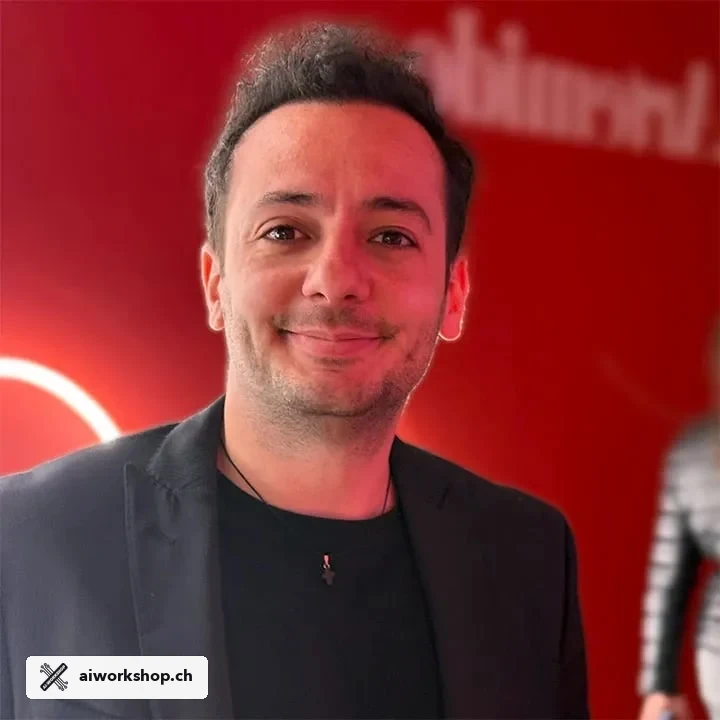
George Raymond Alchoufi verbindet Software Engineering, Facilitation und Executive Coaching. Die Session wird auf die Arbeit, freigegebenen Tools und Prüfverantwortung Ihres Teams abgestimmt.
Programminhalte geprüft im Juli 2026
Durchführung in der ganzen Schweiz
Vor Ort in Zürich, Genf, Lausanne, Basel, Bern und weiteren Schweizer Orten nach Absprache; hybrid für verteilte Teams.
Nächste Lernschritte für Ihr Team
Fragen vor der Buchung
Was erreicht unser Team im Workshop ChatGPT Enterprise?
Aus dem Zugang zu einem verwalteten ChatGPT-Workspace wird nützliche, geregelte Teampraxis. Die praktischen Ergebnisse: Konsistente Workspace- und Projektgewohnheiten schaffen; Wiederholbare Recherche- und Datenworkflows gestalten; GPT- oder Agentenverhalten systematisch evaluieren; Praktische Governance- und Rollout-Entscheidungen treffen.
Für wen ist der Workshop ChatGPT Enterprise gedacht?
Organisationen, die einen verwalteten ChatGPT-Workspace für Business-Teams einführen oder die Adoption verbessern.
Welche Tools nutzen die Teilnehmenden?
Der praktische Stack umfasst ChatGPT, Unternehmenswissen und Workspaces, Agent Design Canvas. Die Übungen werden an freigegebene Lizenzen und Systeme Ihrer Organisation angepasst.
Wie lange dauert der Workshop und wie wird er durchgeführt?
Empfohlen wird Kernworkshop · 4–6 Stunden. Jeder Kernworkshop bleibt innerhalb von vier bis sechs Stunden; Alternativen sind Fokussierter Workshop · 4 Stunden, Kernworkshop plus optionales Follow-up. Wählen Sie eine Session vor Ort in Ihrer Organisation oder an einem vereinbarten Ort, einen vollständig online durchgeführten Workshop oder ein hybrides Format.
Welche Vorbereitung ist nötig?
Technische Vorkenntnisse sind nicht erforderlich. Ein kurzes Sponsorengespräch und eine Teilnehmerbefragung helfen, Beispiele auf freigegebene Tools und nicht sensible Arbeit abzustimmen.
Was nimmt das Team mit?
Das Arbeitspaket enthält Team-Workflow-Paket, Evaluationsbeispiele und Review-Set, Governance-Entscheidungslog, Adoptions- und Rolloutplan, digitale Unterlagen und eine kompakte Zusammenfassung des Facilitators.
Workshop teilen
Nutzen Sie die kompakte Markdown-Version für Zitate oder die PDF-Broschüre zur internen Abstimmung.